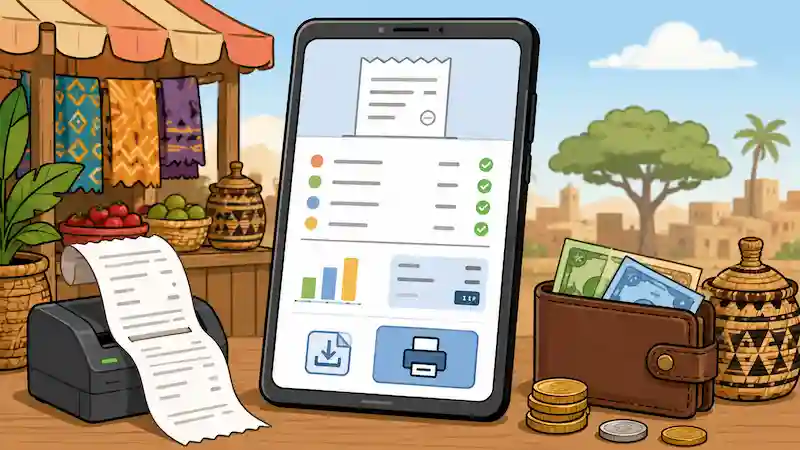
A mobile-money confirmation proves activity on a wallet, but a business receipt explains what that payment settled. Ghanaian merchants should connect the transaction reference to the customer, invoice, amount, date and remaining balance without copying unnecessary wallet data into the receipt.
Small-business records work best when each document has one clear job. Quotes explain an offer, invoices request payment, receipts prove payment, forecasts expose timing gaps, and loan comparisons put competing offers on the same basis.
This guide targets mobile money payment receipt Ghana with a decision-ready workflow. Use the Receipt Generator to organise the inputs, then replace every placeholder with your measurements, records and current written terms.
Sources reviewed: August 3, 2026. This article provides record-keeping and planning guidance. It is not accounting, tax, credit or legal advice, and it does not turn an informal record into an official tax document.
Quick answer
Verify the credit or merchant settlement first. Then record the payer or customer name, merchant name, amount and currency, payment date and time, mobile-money or GhQR channel, transaction reference, invoice or order number, description, amount applied and balance remaining. A VAT-registered business must still follow current GRA receipt or e-invoicing rules.
The table below is the minimum evidence pack. A task is not complete merely because somebody says it has been handled. Save the document, measurement, quote, portal acknowledgement or transaction reference that supports the answer.
| # | Input or decision | Evidence to keep |
|---|---|---|
| 1 | Merchant settlement | Credit visible in the approved wallet, bank or settlement report |
| 2 | Transaction reference | Complete processor or GhQR reference and timestamp |
| 3 | Customer link | Customer name plus order or invoice number |
| 4 | Amount applied | Currency, part-payment status and balance |
| 5 | Tax record | Applicable authorised sales receipt or e-VAT record |
Why this calculation or checklist matters
Build the record from the underlying transaction. Keep the customer or lender identity, dates, currency, tax treatment, payment reference and approval trail visible. A polished document cannot repair unsupported figures, so reconcile the numbers before exporting it.
Customers may send from another person's wallet, split one invoice across several transfers or reuse a screenshot in a later conversation. A controlled merchant receipt reduces ambiguity because it records the business's own reconciliation, not only the sender's notification.
A good working file also makes disagreement cheaper. Instead of arguing about a total, the people involved can inspect the quantity, unit, date, source and assumption that produced it. That is the difference between a reusable estimate and a number copied into a message.
Step-by-step workflow
- Step 1. Check the receiving wallet or merchant settlement report instead of relying on the sender's screenshot.
- Step 2. Match the amount, time and transaction reference to the customer and open invoice.
- Step 3. Resolve transfers from an unfamiliar name before applying the money to an account.
- Step 4. Generate a merchant receipt showing the channel and reference but masking sensitive wallet details.
- Step 5. Record any part-payment, fee difference, refund or overpayment separately.
- Step 6. Store the receipt with the invoice and use the provider's recourse process for unresolved transaction disputes.
Payment confirmation versus merchant receipt
The wallet or GhQR confirmation belongs to the payment network. The merchant receipt belongs to the sale record. Keep the original network reference unchanged and add the invoice or order reference used by the business.
If settlement is delayed, label the transaction pending rather than paid. Issue the final receipt after the credit can be reconciled under the merchant's normal policy.
- Channel and provider
- Transaction reference
- Settlement status
- Invoice and amount applied
Handle part-payments and third-party wallets
For a part-payment, show the invoice total, amount now received and balance. Do not create a new sale simply because the customer paid in more than one transfer.
When a relative, employee or agent pays from a different wallet, record the customer account and payer reference separately. Avoid copying the payer's full phone number into documents that do not need it.
- Customer or account name
- Payer name only where necessary
- Each transaction reference
- Running balance after each receipt
GRA and provider boundaries
GRA rules determine whether a VAT invoice, authorised computer-generated receipt or e-VAT receipt is required. The mobile-money confirmation does not replace that tax record.
Use a provider licensed by the Bank of Ghana and preserve complaint references when a transaction is missing, reversed or misdirected. The receipt generator cannot recover or reverse funds.
- Check the provider's licensed status
- Follow the provider complaint channel
- Preserve GRA-required fiscal fields
- Do not label a generic PDF as e-VAT
Build an evidence pack another person can audit
Open the original offer, invoice, bank record, ledger or loan schedule and compare it with the calculator line by line. Mark every figure as confirmed, estimated or disputed. Confirmed means a dated record supports it. Estimated means the method and source are written down. Disputed means the figure must not be treated as settled. Reconcile totals independently, then ask the customer, lender, accountant or responsible colleague to resolve the disputed lines in writing.
Use short filenames that begin with the date and describe the record. Keep the original source separate from calculations and annotations. Where a file contains identity, financial, health or commercial data, share the minimum necessary information and use the official or trusted channel. A checklist should reduce exposure, not create another uncontrolled copy of sensitive material.
Set the decision gate
Before sending or signing, confirm who owns the next action, when it is due and what evidence will close it. Keep the exported result with the source records and preserve the previous version. If the decision changes price, tax, payment instructions, credit terms or a customer obligation, obtain approval through a trusted channel rather than silently editing the file.
Write a clear stop condition before commitment. A stop condition might be a missing official search, an unverified payment account, an unresolved name mismatch, an unaffordable pressure case, an unapproved safety specification or a supplier quote that excludes essential scope. When it appears, pause and resolve the evidence rather than pushing the same uncertain assumption into the final output. Record who made the final decision, the date and the evidence they reviewed so a later update has an honest starting point.
Stress-test the result
Use three cases when money or timing can move: a base case using the written terms, a pressure case with slower receipts or higher costs, and a recovery case showing the decision that restores a safe cash position. Scenario planning is more honest than hiding uncertainty inside one precise-looking number.
Test the workflow with a split payment, a transfer from a third-party wallet and a credit that is later reversed. The ledger should show the correct balance at every stage and preserve the original transaction references without issuing duplicate receipts.
Write the decision beside the scenario. Examples include delaying a purchase, collecting a larger deposit, reducing scope, changing packaging, adding route density, choosing a different loan, or asking a qualified adviser to verify an exception. A scenario without a decision is only another spreadsheet column.
Common mistakes to avoid
- Accepting a forwarded screenshot without checking merchant settlement.
- Omitting the invoice or order that the transfer settled.
- Publishing a customer's full wallet number unnecessarily.
- Closing the whole invoice after a part-payment.
- Treating a mobile-money alert as a substitute for an authorised tax receipt.
One final check catches many errors: ask whether a different person could reproduce the answer from the saved inputs. If not, label the missing assumption before using the result in a quote, purchase, application or public promise.
Use the AfroTools workflow
Open the Receipt Generator and enter the dated inputs from your evidence pack. Keep units and currencies consistent. Save or export the result where the tool supports it, then give the version a descriptive filename that includes the date and scenario.
Use the payment-method and reference fields to create the merchant record after reconciliation. Keep provider credentials, full wallet statements and other customers' transactions outside the exported receipt.
AfroTools does not submit the application, certify the document, approve the budget, select the supplier or guarantee the outcome. The output is a private planning aid that helps you ask better questions and keep a reviewable record.
Sources checked on August 3, 2026
Primary authorities and practical technical references were preferred. Reopen the live source before acting because forms, fees, product specifications, thresholds and portal steps can change.
- GhIPSS, Ghana's universal QR code
- Bank of Ghana, licensed payment service providers
- Ghana Revenue Authority e-VAT receipts
- Bank of Ghana consumer recourse guidelines
Create a Ghana mobile-money receipt
Turn the evidence into a dated calculation or checklist before you commit money, time or documents.
Open Receipt Generator →Related AfroTools guides
Frequently asked questions
It is network evidence. A merchant receipt adds the customer, invoice, amount applied and remaining balance after reconciliation.
Confirm the relationship, record the customer account and preserve the original payer reference without exposing unnecessary personal data.
Follow the merchant's policy, but label pending payments honestly and avoid closing the invoice before the credit is reconciled.
No. VAT-registered businesses must follow current GRA invoicing and receipt requirements.
No. Contact the licensed provider promptly and preserve the transaction and complaint references.