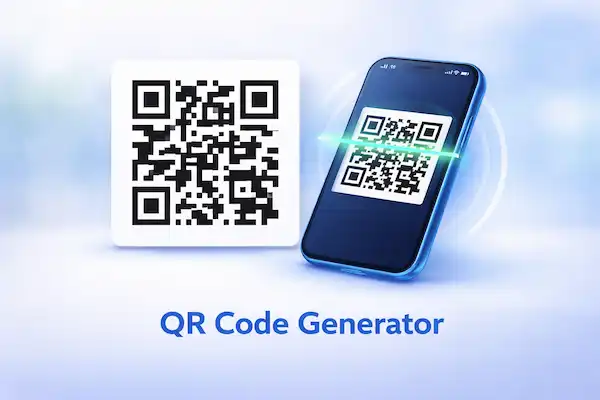
A QR code is useful only when it sends the customer to the right destination and still scans after printing. The important work is preparing a stable link, choosing a clear call to action and testing the final artwork on more than one phone.
Create the destination first, remove unnecessary tracking or private data, generate the code, download a high-quality version and test the printed size before ordering signs, stickers or packaging.
QR Code Generator creates QR codes for links, WhatsApp, Wi-Fi and other common business actions.
Quick answer
Use one code for one clear action. Tell the customer what will happen after scanning, such as viewing a menu or opening WhatsApp. Keep the destination active and assign someone to test it regularly.
Start with the exact job you need to complete. A useful result is tied to a real application, meeting, agreement, trip, electricity purchase, job application, image export or academic record. Write down the destination, deadline and acceptance rule before changing any settings.
Inputs to verify
| Input or decision | Evidence to keep |
|---|---|
| Destination | Final URL, WhatsApp link, Wi-Fi details or text |
| Customer action | The one thing the customer should do |
| Print size | Actual size on poster, label, receipt or packaging |
| Fallback | A short readable URL or contact method |
| Owner | Person responsible for keeping the destination live |
Do not encode secrets, passwords for public display or personal data that should not be copied by anyone with a camera.
Step-by-step workflow
- Open and verify the destination on a clean browser.
- Generate the QR code using the exact final content.
- Download PNG for simple digital use or SVG for scalable print where supported.
- Place the code with quiet space around it and a plain-language call to action.
- Test the final digital file and one physical proof on different phones.
Keep the original file or record unchanged. Work on a copy, label the output with the date and purpose, and compare it with the source before sending or uploading it. This makes mistakes reversible and gives another person enough context to review the decision.
Design for scanning, trust and maintenance
A decorative code may look attractive but fail when contrast is weak, modules are covered or the quiet border disappears. Start with dark modules on a light background and make branding secondary to scan reliability.
A QR code does not prove that a payment request, website or Wi-Fi network is trustworthy. Show the business name and destination beside the code so a customer can judge it before scanning.
If the destination may change, use a redirect you control and document who can update it. Avoid a third-party shortener that could expire or be reassigned without warning.
Checks before you rely on the result
- The destination opens without login surprises or certificate warnings.
- The code scans from the expected distance and printed size.
- A readable fallback link or contact is present.
- The call to action matches what opens after scanning.
- No private credential is embedded in public artwork.
Treat any estimate as a planning aid. Fees, entry rules, grading scales, document clauses, upload limits and utility deductions can vary by provider, country and date. The receiving institution or official authority remains the final source of truth.
Create a review trail
Record the source, date and version beside the result. If another person reviews the work, ask them to check the inputs and acceptance rule rather than only the final appearance. Save their correction separately so the original decision remains traceable.
When the receiving portal, authority, employer, utility or institution rejects the output, keep the rejection message and compare it with the rule you recorded. Correct the identified mismatch first. Repeating the same export with random settings makes the problem harder to diagnose and can create conflicting copies.
Privacy and safety
Use the minimum information needed. Do not paste identity numbers, private commercial terms, academic records or personal contact details into an untrusted service. AfroTools workflows described here are designed for practical preparation, but you should still review the page notice and export before sharing it.
Treat payment QR codes as financial instructions. Confirm the merchant identity and receiving account through a trusted channel before publishing or paying.
Open the AfroTools workflow
Save the source text with the exported code so the destination can be audited later without relying on the image alone.
The tool organises your inputs and produces a planning output. It does not guarantee acceptance, legal enforceability, admission, visa approval, electricity supply, employment or a particular grade.
Sources and verification
These sources explain the underlying standard or decision process. Reopen the live source and the relevant authority or institution before acting because requirements can change.
Related AfroTools guides
Frequently asked questions
PNG is convenient for screens and basic documents. SVG stays sharp at different print sizes when the design tool and printer support it.
A static code keeps the encoded value. To change it, generate a new code or encode a redirect URL that you control.
Print a proof at the final size and test it on multiple phones, in ordinary lighting, before ordering the full batch.