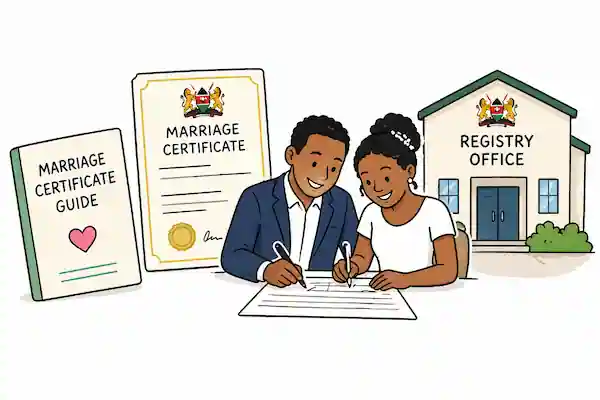
Kenya civil-marriage preparation should start with the Registrar of Marriages service on eCitizen. Registration of marriage, certificate of no impediment, certified copy and licensing services are distinct, and the applicant should follow the live service rather than a copied fee or document list.
Civil-registration applications are easiest when names, dates, identity records and supporting evidence agree before submission. The process may look similar across countries, but the responsible authority, notice period, witnesses and late-registration rules are jurisdiction-specific.
This guide targets Kenya civil marriage documents checklist with a decision-ready workflow. Use the Marriage Certificate Guide to organise the inputs, then replace every placeholder with your measurements, records and current written terms.
Sources reviewed: August 3, 2026. This is an application-preparation checklist, not legal advice or confirmation of eligibility. Requirements, fees, portals and service times can change without notice.
Quick answer
Confirm that both parties meet the current eligibility and understand the marriage route. Prepare matching identity and contact details, marital-status information, prior divorce or death evidence where relevant, notice and appointment records, witness details, official payment proof and any foreign-national documents requested. Save the eCitizen application and registrar confirmations.
The table below is the minimum evidence pack. A task is not complete merely because somebody says it has been handled. Save the document, measurement, quote, portal acknowledgement or transaction reference that supports the answer.
| # | Input or decision | Evidence to keep |
|---|---|---|
| 1 | eCitizen service | Correct Registrar of Marriages service and application reference |
| 2 | Party identity | Matching names, age, nationality and contact records |
| 3 | Marital status | Declarations plus divorce or death records where applicable |
| 4 | Notice and witnesses | Current notice, appointment and witness requirements |
| 5 | Issue and copies | Official receipt, certificate check and certified-copy trail |
Why this calculation or checklist matters
Begin on the responsible government portal. Choose the exact service, distinguish first registration from a certified copy or correction, and preserve the application reference and official receipt. Do not send identity documents to an unverified agent or payment account.
Marriage records are identity-critical. Small differences in names, dates or status can delay the application or create problems later. A complete checklist makes exceptions visible before an appointment without pretending to determine legal eligibility.
A good working file also makes disagreement cheaper. Instead of arguing about a total, the people involved can inspect the quantity, unit, date, source and assumption that produced it. That is the difference between a reusable estimate and a number copied into a message.
Step-by-step workflow
- Step 1. Open the official Registrar of Marriages service through eCitizen.
- Step 2. Confirm the service and eligibility information before creating the application.
- Step 3. Match every name and date to the supporting identity records.
- Step 4. Prepare prior-marriage, foreign-national or no-impediment evidence for the relevant route.
- Step 5. Save the application, invoice, official payment and appointment confirmations.
- Step 6. Inspect the issued record and use the official certified-copy or correction route when needed.
Service and eligibility first
The Registrar of Marriages offers different online services. Choose registration of marriage only when it matches the task, and use the certificate-of-no-impediment or certified-copy service when that is the actual need.
The official service notes age and capacity requirements. Complex questions about status, recognition or foreign documents should be directed to the registrar or qualified legal adviser.
- Registration of marriage
- Certificate of no impediment
- Certified copy
- Other registrar service
Prepare matching party records
Write names in the order and spelling used on identity documents. Note any difference before submission and seek the authority's correction guidance rather than creating a new variation.
Prior divorce, death of a spouse or foreign nationality may require additional records. Obtain current requirements for the exact case and keep translations or authentication evidence where requested.
- Identity and age
- Nationality and residence
- Marital-status evidence
- Exception documents
Notice, appointment and certificate
Preserve every eCitizen reference, invoice and payment confirmation. Record the notice and appointment instructions exactly as issued.
After the ceremony or registration, inspect names, dates and place information. Use the official route for a certified copy or correction instead of editing a scan.
- Notice reference
- Appointment confirmation
- Witness records
- Issued certificate and certified copies
Build an evidence pack another person can audit
Create a private index of the documents without copying full identity numbers into the checklist. Record document type, holder, issuing authority, issue date, expiry where relevant, filename and whether the original is available. Compare names and dates character by character. Resolve a mismatch through the authority's formal route rather than altering a scan or inventing an affidavit.
Use short filenames that begin with the date and describe the record. Keep the original source separate from calculations and annotations. Where a file contains identity, financial, health or commercial data, share the minimum necessary information and use the official or trusted channel. A checklist should reduce exposure, not create another uncontrolled copy of sensitive material.
Set the decision gate
Before payment or travel, confirm the exact service, official domain, location, appointment and exception instructions. Save the live acknowledgement and receipt. After issue, inspect the civil record immediately and store it securely. Use only the official verification, certified-copy or correction route when another institution needs proof or an error is discovered.
Write a clear stop condition before commitment. A stop condition might be a missing official search, an unverified payment account, an unresolved name mismatch, an unaffordable pressure case, an unapproved safety specification or a supplier quote that excludes essential scope. When it appears, pause and resolve the evidence rather than pushing the same uncertain assumption into the final output. Record who made the final decision, the date and the evidence they reviewed so a later update has an honest starting point.
Stress-test the result
Prepare a normal-path file and an exception file. The normal path contains the standard identity and event records. The exception file covers prior marriage, divorce, death of a spouse, foreign nationality, late birth registration, missing notification or correction. Confirm the exception path before paying.
Check the file for a foreign national, a prior marriage or a name mismatch. These cases may need a different document path, so confirm with the registrar before payment or travel.
Write the decision beside the scenario. Examples include delaying a purchase, collecting a larger deposit, reducing scope, changing packaging, adding route density, choosing a different loan, or asking a qualified adviser to verify an exception. A scenario without a decision is only another spreadsheet column.
Common mistakes to avoid
- Using a general eCitizen login link without confirming the Registrar service.
- Applying for registration when a certified copy is the real need.
- Submitting inconsistent name spellings.
- Relying on an old fee or notice-period screenshot.
- Sending identity documents to an unverified intermediary.
One final check catches many errors: ask whether a different person could reproduce the answer from the saved inputs. If not, label the missing assumption before using the result in a quote, purchase, application or public promise.
Use the AfroTools workflow
Open the Marriage Certificate Guide and enter the dated inputs from your evidence pack. Keep units and currencies consistent. Save or export the result where the tool supports it, then give the version a descriptive filename that includes the date and scenario.
Use the guide to prepare the document and exception list locally, then apply through the official eCitizen service. AfroTools does not collect the documents, determine eligibility or issue the certificate.
AfroTools does not submit the application, certify the document, approve the budget, select the supplier or guarantee the outcome. The output is a private planning aid that helps you ask better questions and keep a reviewable record.
Sources checked on August 3, 2026
Primary authorities and practical technical references were preferred. Reopen the live source before acting because forms, fees, product specifications, thresholds and portal steps can change.
- Kenya Registrar of Marriages eCitizen service
- Kenya Marriage Act 2014
- Kenya Office of the Attorney General registry services
Prepare the Kenya civil-marriage file
Turn the evidence into a dated calculation or checklist before you commit money, time or documents.
Open Marriage Certificate Guide →Related AfroTools guides
Frequently asked questions
Use the official Registrar of Marriages service through eCitizen.
The official service states that applicants must be at least 18 and capable of understanding marriage.
Confirm the current evidence required for divorce or death of a former spouse with the registrar.
Use the dedicated official certified-copy service rather than applying for a new marriage registration.
No. It is a local preparation guide and does not log in, pay or submit on the applicant's behalf.